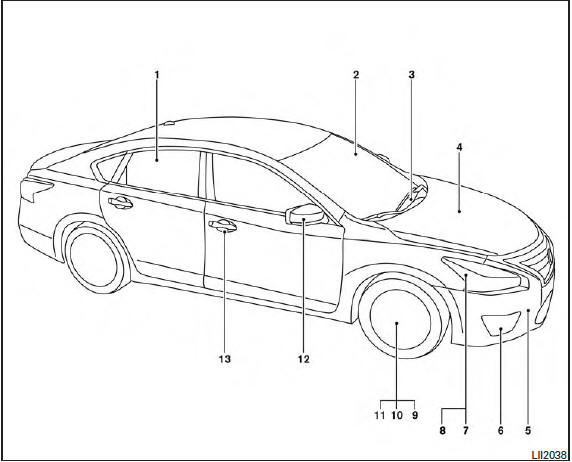
Nissan Altima (L33) 2013-2018 Owners Manual: Exterior front
1. Power windows
See the page number indicated in parentheses
for operating details.
1. Top tether strap anchor
2. Rear seat belts
3. Roof-mounted curtain side-impact
supplemental air bag
4. Front seat-mounted side-impact
supplemental air bag
5. Head restraints/headrests
6 ...
1. Rear window defroster switch
2. Interior trunk lid release
3. Trunk lid
4. Opener operation
5. Replacing bulbs
6. Fuel-filler cap, fuel recommendation
7. Fuel-filler door
8. Child safe ...
Other materials: Passenger compartment
Power moonroof (if so equipped)
Sun visors
Interior lights
HomeLink Universal Transceiver (if so
equipped)
Rearview mirror
Glove box
Cup holders
Console box
Rear armrest
Cup holders
Refer to the page number indicated in
parentheses for operating details.
Instrument panel
Vents
...
System temporarily unavailable
For vehicles with the 7 inch (18 cm) display
When radar blockage is detected, the system
will be deactivated automatically. The
"Unavailable: Side Radar Obstruction"
warning message will appear in the vehicle
information display.
The systems are not available until the
conditions no longer exist.
...
USB (Universal Serial Bus) Connection
Port
Type-A.
Connecting a device to the USB
Connection Port
WARNING
Do not connect, disconnect, or operate
the USB device while driving. Doing so
can be a distraction. If distracted you
could lose control of your vehicle and
cause an accident or serious injury.
CAUTION
To avoid damage and loss of f ...

 Air bags, seat belts and child restraints
 Exterior rear