
Nissan Altima (L34) 2019-2026 Owners Manual: Intelligent Driver Alertness system operation
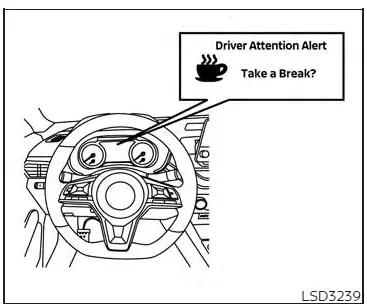
For vehicles with the 7 inch (18 cm)
display
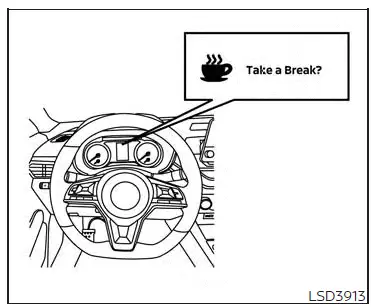
For vehicles with the 5 inch (13 cm)
display
If the system detects driver fatigue or that driver attention is decreasing, the message "Take a break?" appears in the vehicle information display and a chime sounds when the vehicle is driven at speeds above 37 mph (60 km/h).
The system continuously monitors driver attention and can provide multiple warnings per trip.
The system resets and starts reassessing driving style and steering behavior when the ignition switch is cycled from the ON to the OFF position and back to the ON position.
The I-DA system does not activate when the Steering Assist is active.
How to enable/disable the Intelligent Driver Alertness (I-DA) system
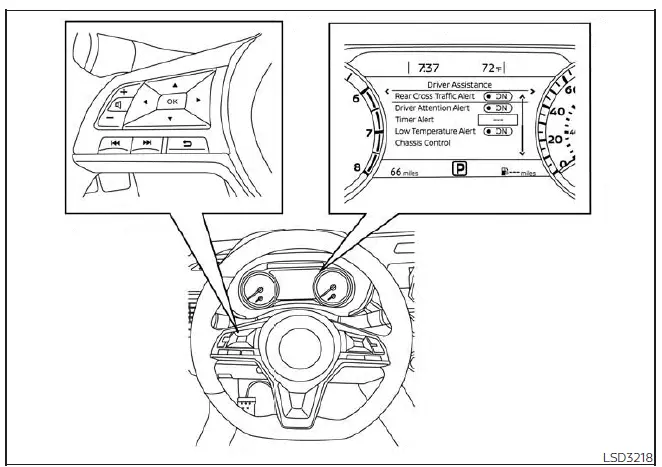
For vehicles with the 7 inch (18 cm) display
Perform the following steps to enable or disable the I-DA system.
1. Press the button until
"Settings" displays
in the vehicle information display.
Use the button to select "Driver
Assistance."
Then press the OK button.
2. Select "Driver Attention Alert" or " Driver Attention" and press the OK button to turn the system on or off.
NOTE:
The setting will be retained even if the engine is restarted.
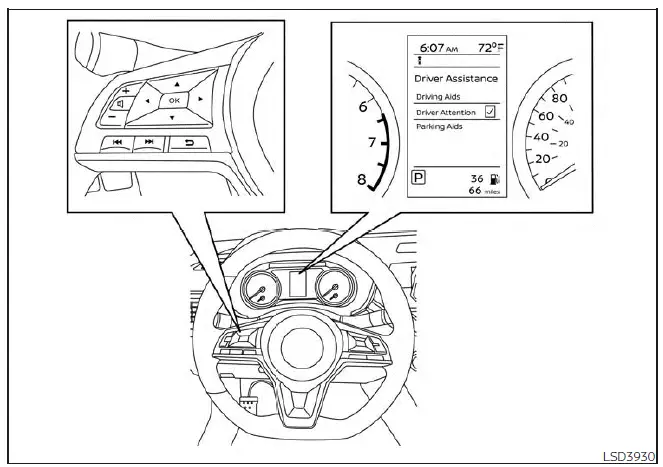
For vehicles with the 5 inch (13 cm) display
 Intelligent Driver Alertness (I-DA)
