Nissan Altima (L32) 2007-2012 Service Manual: Malfunction indicator lamp
Description
The Malfunction Indicator Lamp (MIL) is located on the combination
meter.
The MIL will light up when the ignition switch is turned ON without
the engine running. This is a bulb check.
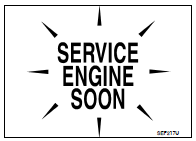
When the engine is started, the MIL should go off. If the MIL remains
on, the on board diagnostic system has detected an engine system
malfunction.
For details, refer to EC-968, "Diagnosis Procedure".
Component Function Check
1.CHECK MIL FUNCTION
1. Turn ignition switch ON.
2. Make sure that MIL lights up.
Is the inspection result normal?
YES >> INSPECTION END
NO >> Go to EC-968, "Diagnosis Procedure".
Diagnosis Procedure
1.CHECK DTC
Check that DTC UXXXX is not displayed.
Is the inspection result normal?
YES >> GO TO 2.
NO >> Perform trouble diagnosis for DTC UXXXX.
2.CHECK DTC WITH METER
Refer to MWI-38, "CONSULT-III Function (METER/M&A)".
Is the inspection result normal?
YES >> GO TO 3.
NO >> Repair or replace.
3.CHECK INTERMITTENT INCIDENT
Refer to GI-42, "Intermittent Incident".
Is the inspection result normal?
YES >> Replace combination meter.
NO >> Repair or replace.
Description
The ignition signal from the ECM is sent to and amplified by the power
transistor. The power transistor turns
ON and OFF the ignition coil primary circuit. This ON/OFF operation induce ...
Description
From the beginning of refueling, the air and vapor inside the fuel tank go
through refueling EVAP vapor cut
valve and EVAP/ORVR line to the EVAP canister. The vapor is absorbed by t ...
Other materials: NissanConnect Owner’s Manual
Refer to the digital NissanConnect Owner’s
manual using the QR code on this
page, or your printed NissanConnect
Owner’s manual (if so equipped). This
manual includes the following information:
NissanConnect Services (if so equipped)
Navigation system (if so equipped)
Audio system
Apple Car ...
Vehicle information display - 5 inch (13 cm) Type A (if so equipped)
The vehicle information display is located
to the left of the speedometer. It displays
such items as:
Vehicle settings
Indicators and warnings
Information/warning messages
Tire pressure information
Drive computer information
Cruise control system information
Driving Aids (if so equipped)
N ...
Heated steering wheel switch (if so equipped)
Push the heated steering wheel switch to
warm the steering wheel after the ignition
switch is placed in the ON position. The
indicator light will come on.
If the surface temperature of the steering
wheel is below 68ºF (20ºC), the system will
heat the steering wheel and cycle off and
on to mainta ...

 Ignition signal
 On board refueling vapor recovery
(ORVR)
On board refueling vapor recovery
(ORVR)